
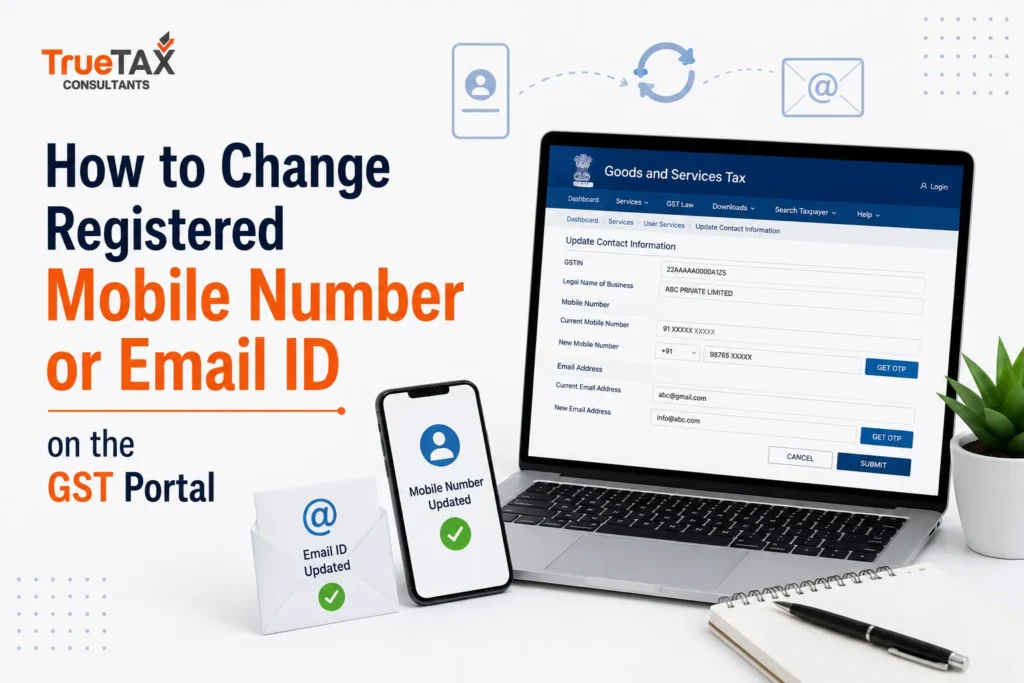
Not Receiving GST OTPs, Login Alerts, Registration Updates, or Important GST Notices? Here’s how to change registered mobile number and Email ID on the GST Portal. Imagine you’re about to file your GST return on the due date. You log in to the GST Portal, complete the return preparation process, and proceed to verification. Suddenly, the GST Portal asks for an OTP. The OTP is sent to a mobile number that you stopped using months ago. Or perhaps the verification email is delivered to an old email address that is no longer accessible.
In another common scenario, a business receives a GST notice from the tax department, but the notice goes unnoticed because it was sent to an outdated email address registered on the GST Portal. By the time the business becomes aware of the issue, compliance deadlines may already have passed.
These situations are far more common than many taxpayers realize.
As businesses grow, people change mobile numbers, migrate to new email providers, appoint new directors, hire compliance managers, replace accountants, or designate new authorized signatories. However, GST registration details often remain unchanged for years. This creates a gap between the business’s current contact information and the information available in GST records.
Since the registered mobile number and email ID play a crucial role in GST compliance, keeping them updated is not just a convenience—it is a necessity.
The GST Portal uses registered contact details for:
- OTP verification
- Login authentication
- GST return filing
- Registration amendments
- Password recovery
- GST notices
- Departmental communications
- Application status updates
- Compliance alerts
- Registration approvals
If your registered mobile number or email address is outdated, updating it should be one of your top compliance priorities.
In this detailed guide, you’ll learn everything about changing a registered mobile number or email ID on the GST Portal, including step-by-step procedures, different amendment scenarios, verification methods, common mistakes, approval timelines, and best practices.
What Is the Registered Mobile Number and Email ID in GST?
During GST registration, every taxpayer must provide contact details that become part of the GST registration record.
These details generally include:
- Mobile Number
- Email Address
- Authorized Signatory Information
Once registration is approved, these contact details become the primary communication channels between the taxpayer and the GST department.
Whenever the GST Portal needs to verify a transaction, send an alert, or communicate important information, it relies on these registered contact details.
Think of your registered mobile number and email address as the digital communication bridge between your business and the GST system.
If that bridge is broken due to outdated information, several GST-related processes can become difficult or inaccessible.
Why Is It Important to Update Your GST Mobile Number or Email ID?
Many businesses only think about updating GST contact details after encountering a problem.
However, proactively maintaining updated contact information can prevent a wide range of compliance and operational issues.
Let’s understand why this is so important.
Ensures Successful OTP Verification
Most activities on the GST Portal require OTP authentication.
Common GST activities requiring OTP verification include:
- Filing GST returns
- Registration amendments
- GST cancellation requests
- GST revocation applications
- Authorized signatory updates
- Password reset requests
- GST registration modifications
Without access to the registered mobile number or email address, completing these activities can become challenging.
Helps You Receive GST Notices on Time
The GST department communicates with taxpayers electronically.
Important communications may include:
- Show Cause Notices
- Demand Notices
- Assessment Orders
- Registration Queries
- Clarification Requests
- Compliance Reminders
- Return Filing Notifications
Missing any of these communications can have serious consequences.
An outdated email address may prevent businesses from receiving time-sensitive notices, potentially leading to penalties or compliance disputes.
Protects Your GST Account
Cybersecurity is becoming increasingly important for businesses.
The registered mobile number and email ID serve as security checkpoints for GST accounts.
Whenever sensitive actions are performed, OTP verification helps confirm the identity of the user.
Keeping these details updated ensures that only authorized individuals can access and manage the GST account.
Simplifies Password Recovery
Forgot your GST login credentials?
The GST Portal typically sends password reset instructions to the registered email address and mobile number.
If those details are outdated, recovering account access can become much more complicated and time-consuming.
Prevents Business Disruptions
Businesses often rely on GST Portal access for day-to-day operations.
Outdated contact information can delay:
- GST filings
- Registration amendments
- Vendor onboarding
- Compliance procedures
- GST certificate downloads
Regularly updating contact details helps avoid these disruptions.
What Happens If You Don’t Update GST Contact Information?
Many taxpayers postpone updating GST records because everything seems to be working normally.
However, problems often emerge unexpectedly.
Let’s examine the potential consequences.
Missed GST Notices and Compliance Deadlines
One of the most significant risks is missing GST notices.
The GST department may send:
- Compliance notices
- Assessment notices
- Demand notices
- Clarification requests
If these communications go unnoticed because they were delivered to an inactive email address, taxpayers may miss important deadlines.
Failure to Complete OTP-Based Transactions
Without access to the registered mobile number or email ID, OTP authentication becomes impossible.
This can prevent taxpayers from:
- Filing returns
- Updating registration details
- Responding to notices
- Downloading certain documents
- Completing verification procedures
Difficulty Recovering GST Account Access
If login credentials are forgotten, outdated contact information can significantly complicate password recovery.
This may require additional verification procedures and support requests.
Delayed GST Amendments
Businesses frequently need to amend GST registration details.
Without access to registered contact information, completing amendments becomes more difficult.
Risk of Non-Compliance
Ultimately, outdated contact details increase the likelihood of compliance failures.
These failures may result in:
- Notices
- Penalties
- Interest liabilities
- Operational delays
Who Can Update Mobile Number or Email ID on the GST Portal?
The authority to update GST contact details depends on the structure of the business and the individuals associated with the GST registration.
Eligible persons generally include:
Proprietors
For sole proprietorship businesses.
Partners
For partnership firms and LLPs.
Directors
For companies and corporate entities.
Authorized Signatories
Individuals formally authorized to manage GST activities.
Managing Directors
For corporate organizations.
Trustees and Office Bearers
For trusts, societies, and similar entities.
Only authorized individuals should perform GST registration amendments.
Understanding GST Amendment Categories
Before updating contact details, taxpayers should understand how GST amendments are classified.
GST amendments generally fall into two categories:
Core Amendments
Core amendments involve significant registration changes.
Examples include:
- Legal name changes
- Principal place of business changes
- Partner additions
- Director modifications
These amendments often require approval from GST authorities.
Non-Core Amendments
Mobile number and email address updates fall under Non-Core Amendments.
Characteristics include:
- Simpler process
- Faster processing
- Limited approval requirements
- Online verification
This makes updating contact details relatively straightforward.
Two Different Ways to Change GST Mobile Number and Email ID
The GST Portal follows different procedures depending on the authorized signatory structure of the business.
Understanding which category applies to your organization is important before proceeding.
Scenario 1: Authorized Signatory Is the Same as the Promoter or Partner
This scenario commonly applies to:
- Proprietorship firms
- Small businesses
- Sole owners
- Individual professionals
- Small partnership firms
In this situation, the taxpayer can directly update the mobile number and email address.
Scenario 2: Authorized Signatory Is Different from the Promoter
This scenario commonly applies to:
- Private Limited Companies
- LLPs
- Large Partnerships
- Public Companies
- Organizations with Multiple Signatories
The process involves appointing or updating the primary authorized signatory before changing contact information.
Important Things to Keep Ready Before Starting the Update Process
Before beginning the amendment process, ensure you have access to:
GST Login Credentials
- Username
- Password
New Mobile Number
The number should:
- Be active
- Receive SMS messages
- Remain accessible long-term
New Email Address
The email should:
- Be active
- Be monitored regularly
- Have sufficient storage space
Verification Access
You should have access to:
- DSC
- E-Sign
- EVC
depending on your preferred verification method.
How to Change Registered Mobile Number or Email ID on the GST Portal (Authorised Signatory Same as Promoter or Partner)
If you operate a proprietorship business, a small partnership firm, a consultancy, a freelancer business, or a startup where the owner directly manages GST compliance, this is likely the scenario that applies to you.
In such cases, the mobile number and email address registered on the GST Portal belong to the same individual who acts as both:
- Promoter
- Proprietor
- Partner
- Primary Authorised Signatory
Since the person whose contact details need to be updated is already authorized within the GST registration, the amendment process is relatively straightforward.
The GST Portal allows taxpayers to update these details through the Amendment of Registration Non-Core Fields functionality.
Before starting, ensure you have:
- Access to GST login credentials
- Access to the new mobile number
- Access to the new email address
- Stable internet connection
- Verification method (DSC, E-Sign, or EVC)
Let’s go through each step in detail.
Step 1: Login to the GST Portal
The first step is accessing your GST account.
Visit the GST Portal and log in using:
- Username
- Password
- Captcha Code
After successful login, you will be redirected to the GST dashboard.
Always ensure you are using the correct GST account associated with the registration you want to amend.
Why This Step Matters
The GST Portal only allows registered taxpayers or authorized users to make registration amendments.
Without proper login access, no changes can be made to registration details.
Step 2: Navigate to Amendment of Registration Non-Core Fields
Once logged in, navigate through the following menu:
Services → Registration → Amendment of Registration Non-Core Fields
This section is specifically designed for updating information that does not fundamentally alter the GST registration itself.
Since changing a mobile number or email ID does not affect:
- GSTIN
- Legal Name
- State Jurisdiction
- Registration Type
It falls under the Non-Core Amendment category.
What Are Non-Core Fields?
Non-core fields are registration details that can generally be updated without extensive departmental approval.
Examples include:
- Contact information
- Authorized signatory details
- Certain business activity information
- Bank account details
Because mobile number and email updates are considered non-core changes, the process is generally faster than core registration amendments.
Step 3: Open the Promoter / Partners Tab
After entering the amendment section, locate the:
Promoter / Partners Tab
This section contains information relating to:
- Proprietors
- Partners
- Promoters
- Business stakeholders
The exact information displayed may vary depending on your business structure.
For example:
For Proprietorships
You will generally see:
- Proprietor Name
- Mobile Number
- Email Address
- PAN Details
For Partnership Firms
You may see:
- Multiple Partners
- Contact Information
- Partner Designations
For LLPs and Companies
Additional stakeholder information may also be displayed.
Carefully identify the individual whose contact information requires updating.
Step 4: Click the Edit Button Under Actions
Next to the relevant promoter or partner details, you will find an:
Edit Button
Clicking Edit opens the information currently registered with GST.
Review the displayed details carefully.
You should verify:
- Existing mobile number
- Existing email address
- Name spelling
- PAN details
- Other personal information
This is a good opportunity to identify any additional inaccuracies in the GST registration record.
Step 5: Update the Registered Mobile Number
Now enter the new mobile number.
Best Practices While Entering the Mobile Number
The number should:
- Be active
- Be personally accessible
- Remain in long-term use
- Receive SMS messages reliably
Avoid using:
- Temporary numbers
- Shared office numbers
- Numbers belonging to former employees
- Numbers with poor network connectivity
Why Choosing the Right Number Matters
The GST Portal uses this number for:
- OTP verification
- Login authentication
- Password recovery
- Compliance alerts
- Registration updates
Selecting the wrong number may create future compliance difficulties.
Step 6: Update the Registered Email Address
Next, enter the new email address.
Choosing the Right GST Email Address
Ideally, the email should:
- Be monitored regularly
- Have sufficient storage space
- Be accessible to authorized personnel
- Be dedicated to business compliance activities
Many businesses create separate compliance email addresses such as:
- gst@companyname.com
- accounts@companyname.com
- compliance@companyname.com
This helps centralize GST communication.
Avoid Using
- Inactive email accounts
- Personal emails rarely checked
- Temporary email addresses
- Shared public email accounts
Remember, GST notices and communications may be sent to this address.
Step 7: Complete OTP Verification
Once the new contact details are entered, the GST Portal initiates verification.
This is one of the most important steps in the process.
How OTP Verification Works
The GST system sends:
- One OTP to the new mobile number
- One OTP to the new email address
You must enter both OTPs correctly.
Why OTP Verification Is Mandatory
OTP verification confirms:
- Ownership of the mobile number
- Ownership of the email address
- Authenticity of the amendment request
Without successful verification, the GST Portal will not allow the amendment to proceed.
Common OTP Issues and Solutions
Many taxpayers face challenges during OTP verification.
Let’s look at some common issues.
OTP Not Received on Mobile
Possible reasons:
- Network problems
- Incorrect mobile number
- DND restrictions
- Temporary system delays
Solutions
- Wait a few minutes
- Request OTP again
- Verify network connectivity
- Confirm mobile number accuracy
OTP Not Received on Email
Possible reasons:
- Spam filtering
- Incorrect email address
- Mailbox storage limits
Solutions
Check:
- Spam folder
- Promotions folder
- Junk mail folder
Also verify the email address carefully.
OTP Expired
GST OTPs are valid only for a limited time.
If the OTP expires:
- Request a fresh OTP
- Complete verification immediately
Step 8: Save the Updated Information
After successful OTP verification, click:
Save
This action stores the modified details within the amendment application.
At this stage, the information is saved but not yet formally submitted for processing.
Before moving forward, carefully review:
- Mobile Number
- Email Address
- Name Details
- Other Related Information
Correcting mistakes now is easier than submitting another amendment later.
Step 9: Navigate to the Verification Tab
After saving the changes, move to:
Verification Tab
This section is required to formally submit the amendment application.
You will be asked to:
- Confirm the declaration
- Enter the place of filing
- Select a verification method
The declaration confirms that all information submitted is accurate and complete.
Step 10: Select a Verification Method
The GST Portal offers multiple verification methods.
Digital Signature Certificate (DSC)
Typically used by:
- Companies
- LLPs
- Corporate entities
DSC provides a secure method of authentication.
E-Sign
E-Sign uses Aadhaar-based authentication.
Benefits include:
- Fast processing
- Secure verification
- No physical token required
Electronic Verification Code (EVC)
EVC is commonly used by:
- Proprietorships
- Small businesses
- Individual taxpayers
An OTP is sent to the registered contact details to complete verification.
Step 11: Submit the Amendment Application
Once verification is completed, click:
Submit
The GST Portal will process the amendment request.
If EVC is selected, an OTP will be sent to the updated mobile number.
Enter the OTP to complete submission.
Important Tip
Do not close the browser until confirmation appears.
Wait until the GST Portal displays successful submission status.
Step 12: Receive ARN (Application Reference Number)
After successful submission, the GST Portal generates an:
Application Reference Number (ARN)
The ARN serves as official proof that the amendment application has been submitted.
Why ARN Is Important
The ARN helps taxpayers:
- Track amendment progress
- Verify submission status
- Resolve support issues
- Monitor approval timelines
Always save:
- ARN Number
- Screenshot
- Confirmation Email
for future reference.
Step 13: Track Amendment Status
After submission, you can monitor the application status using the ARN.
Navigate to:
Services → Registration → Track Application Status
Enter the ARN and submit.
Possible statuses include:
- Pending for Processing
- Under Verification
- Approved
- Clarification Required
- Rejected
Most non-core amendments are processed relatively quickly if all information is accurate.
Step 14: Approval and Successful Update
Once the GST Portal displays:
“Changes Approved”
The new mobile number and email address become active.
From that point onward, all GST communications, OTPs, and notifications will be sent to the updated contact details.
You should perform a quick verification by:
- Logging in again
- Checking profile information
- Confirming receipt of future OTPs
This ensures that the update has been successfully implemented.
What Happens After Updating GST Contact Details?
After approval, taxpayers can immediately use the updated contact details for:
- GST return filing
- Registration amendments
- Password recovery
- GST notices
- OTP authentication
- Compliance communication
Maintaining accurate contact information significantly reduces compliance risks and helps businesses stay connected with GST authorities.
Scenario 2: Authorised Signatory Is Different from the Promoter or There Is More Than One Authorised Signatory
The process becomes slightly different when the registered mobile number and email address belong to an Authorised Signatory who is not the promoter, proprietor, or primary owner of the business.
This situation commonly occurs in:
- Private Limited Companies
- Public Limited Companies
- LLPs
- Large Partnership Firms
- Trusts and Societies
- Organizations with Dedicated GST Teams
- Businesses Managed by Accountants or Compliance Professionals
In these cases, the registered mobile number and email ID are often linked to the Primary Authorised Signatory rather than the owner of the business.
If that person leaves the organization, changes roles, resigns, retires, or no longer manages GST compliance, the business must update the Primary Authorised Signatory before changing the registered contact details.
Unlike the first scenario, taxpayers cannot simply edit the existing contact information. Instead, they must add a new Authorised Signatory and then designate that person as the Primary Authorised Signatory.
Who Is a Primary Authorised Signatory Under GST?
A Primary Authorised Signatory is the individual responsible for managing GST-related activities on behalf of the taxpayer.
The GST Portal uses the Primary Authorised Signatory’s:
- Mobile Number
- Email Address
- Identity Details
for communication and authentication purposes.
The Primary Authorised Signatory can perform activities such as:
- Filing GST Returns
- Submitting GST Amendments
- Responding to GST Notices
- Downloading GST Certificates
- Applying for GST Registration Changes
- Managing GST Compliance Activities
- Verifying GST Transactions
Because this individual acts as the primary point of contact with the GST department, any change must be carefully updated.
Common Reasons for Changing the Primary Authorised Signatory
Businesses update their Primary Authorised Signatory for several reasons.
Employee Resignation
A compliance manager, accountant, or GST officer may leave the organization.
If their contact details remain linked to GST registration, OTPs and GST notices may continue to be sent to them.
Management Restructuring
Businesses often restructure responsibilities and appoint new individuals to handle tax compliance.
Promotion or Role Changes
The previous signatory may move to a different department or role.
Contact Information No Longer Accessible
The registered mobile number or email address may become inactive.
Improved Compliance Management
Organizations may appoint professional tax consultants or dedicated compliance managers to oversee GST activities.
How to Change Registered Mobile Number or Email ID on the GST Portal When There Are Multiple Authorised Signatories
The GST Portal requires taxpayers to follow a structured process.
Let’s go through each step carefully.
Step 1: Login to the GST Portal
Access the GST Portal using valid credentials.
Navigate to:
Services → Registration → Amendment of Registration Non-Core Fields
This section allows taxpayers to update non-core registration details.
Step 2: Open the Authorised Signatory Tab
Locate the:
Authorised Signatory Tab
This section displays:
- Existing Signatories
- Primary Signatory Information
- Contact Details
- Authorization Status
Review the current list carefully.
Step 3: Click “Add New” Authorised Signatory
Select:
Add New
The GST Portal will open a form requiring details of the new signatory.
This individual will eventually become the Primary Authorised Signatory.
Step 4: Enter New Authorised Signatory Information
Provide complete and accurate details.
Typical information required includes:
- Full Name
- Designation
- PAN Number
- Mobile Number
- Email Address
- Residential Address
- Identity Information
Ensure that the mobile number and email address entered are active and accessible.
These details will later become the primary GST contact information.
Step 5: Save the New Signatory Details
After entering all required information, click:
Save
The GST Portal will store the newly added signatory details within the amendment application.
Step 6: Complete Verification and Submit
Navigate to the Verification section.
Complete the following:
- Accept the declaration
- Enter the place of filing
- Choose verification method
Available options include:
- DSC
- E-Sign
- EVC
Submit the amendment request.
Step 7: Wait for System Update
After submission, GST guidelines generally recommend waiting approximately 15 minutes before proceeding.
This allows the GST Portal to process the newly added signatory.
Step 8: Login Again
After waiting, log in again.
Navigate to:
Services → Registration → Amendment of Registration Non-Core Fields
Return to the Authorised Signatory section.
Step 9: Remove Existing Primary Authorised Signatory Status
Locate the current Primary Authorised Signatory.
Deselect the option indicating:
Primary Authorised Signatory
This removes primary authority from the previous signatory.
Step 10: Designate the New Signatory as Primary
Select the newly added individual as:
Primary Authorised Signatory
The GST Portal will now associate future communications with this person.
Step 11: Verify Mobile Number and Email Address
The GST Portal initiates OTP verification.
Separate OTPs will be sent to:
- Mobile Number
- Email Address
linked to the newly designated Primary Authorised Signatory.
Step 12: Enter OTPs and Confirm Changes
Enter the OTPs received.
Successful verification confirms ownership of the new contact details.
Step 13: Submit Final Amendment Application
Review all details carefully.
Submit the amendment request through the selected verification method.
Step 14: Receive ARN Confirmation
Upon successful submission, an:
Application Reference Number (ARN)
will be generated.
Always save the ARN because it serves as official proof of submission.
How to Track GST Mobile Number or Email ID Update Status
After submission, taxpayers can track the amendment request.
Steps to Track Status:
- Step 1: Login to the GST Portal.
- Step 2: Navigate to Services → Registration → Track Application Status.
- Step 3: Enter the Application Reference Number (ARN).
- Step 4: Click Submit.
- Step 5: View the latest application status displayed on the screen.
Common Status Messages
Pending for Processing
The amendment is awaiting processing.
Under Verification
The GST system is validating the request.
Approved
The update has been successfully completed.
Clarification Required
Additional information is required.
Rejected
The amendment was not approved.
How Long Does It Take to Update GST Mobile Number or Email ID?
One of the most common concerns among taxpayers is processing time.
Since contact detail updates are classified as non-core amendments, they are generally processed faster than major GST registration changes.
Processing time may vary based on:
- Accuracy of information
- Verification success
- System workload
- Technical issues
Most updates are completed within a reasonable period when submitted correctly.
Common Errors While Updating GST Contact Details
Many amendment requests face delays because of avoidable mistakes.
Understanding these errors can save significant time.
Incorrect Mobile Number Entry
Even a single incorrect digit can prevent OTP delivery.
Always verify the number before submission.
Wrong Email Address
A minor spelling mistake can stop verification emails from arriving.
Double-check the email address carefully.
Using Inactive Contact Information
The new mobile number and email address must be active and accessible.
OTP Expiration
GST OTPs are valid only for a limited time.
Delayed entry may require requesting new OTPs.
Browser Compatibility Problems
Some technical issues arise due to outdated browsers.
For best results:
- Use updated browsers
- Clear browser cache
- Maintain stable internet connectivity
Troubleshooting GST Mobile Number and Email Update Problems
If you encounter issues, consider the following solutions.
OTP Not Received
Possible fixes:
- Check network connectivity
- Verify mobile number accuracy
- Request OTP again
- Check spam or junk folders
Amendment Application Stuck
Possible fixes:
- Track status using ARN
- Wait additional processing time
- Contact GST support if required
Unable to Login After Update
Possible fixes:
- Clear browser cache
- Reset password
- Verify updated contact information
Email Verification Failure
Possible fixes:
- Check mailbox storage
- Review spam filters
- Use a different browser
Best Practices for Managing GST Contact Information
Businesses should adopt a proactive approach toward GST contact management.
Review Contact Details Regularly
Verify GST registration information at least once or twice a year.
Use Dedicated Compliance Email Addresses
A dedicated GST email account helps centralize communication.
Update Changes Immediately
Do not wait until OTP issues arise.
Maintain Access Records
Ensure multiple authorized individuals can access GST communication channels when appropriate.
Monitor GST Communications Frequently
Regularly review GST-related emails and alerts.
Conclusion
Keeping your registered mobile number and email ID updated on the GST Portal is essential for smooth GST compliance. Since these contact details are used for OTP verification, GST return filing, notices, password recovery, registration amendments, and official communication, outdated information can create unnecessary compliance risks and operational challenges.
Whether the Authorised Signatory is the same as the promoter or your business has multiple signatories, the GST Portal provides a structured process for updating contact details. By following the correct amendment procedure and ensuring timely verification, businesses can avoid missed notices, failed OTP authentications, and account access issues.
Regularly reviewing and updating GST registration information is a simple yet important compliance practice that helps businesses remain connected with GST authorities and manage their tax obligations efficiently.
Need Help with GST Amendments or GST Compliance?
Managing GST registration updates, authorized signatory changes, return filing, GST notices, and compliance requirements can sometimes be complex and time-consuming.
TrueTax Consultant provides expert assistance with:
- GST Registration Services
- GST Amendment Applications
- Mobile Number & Email ID Updates
- Authorized Signatory Changes
- GST Return Filing
- GST Notice Handling
- GST Compliance Management
- GST Cancellation & Revocation Support
Our GST professionals help businesses complete GST amendments accurately and efficiently while ensuring full compliance with GST regulations.
Contact TrueTax Consultants today for professional GST support and hassle-free compliance solutions.
FAQs
Can I change my GST registered mobile number without changing the authorised signatory?
Yes. If the authorised signatory and the promoter are the same person, you can directly update the registered mobile number through the Amendment of Registration Non-Core Fields section on the GST Portal. After entering the new number, OTP verification must be completed before submitting the amendment application.
Can I update only my email ID and keep the same mobile number?
Yes. The GST Portal allows taxpayers to update either the mobile number, email address, or both. If only the email address needs to be changed, simply update the email field, complete OTP verification, and submit the amendment request through the prescribed verification process.
Is GST officer approval required for changing mobile number or email ID?
Generally, changing the registered mobile number or email ID falls under Non-Core Field Amendments. These amendments usually do not require extensive officer approval. However, the GST system may conduct verification checks before processing the request and updating the registration records.
What should I do if I no longer have access to my old mobile number?
If you no longer have access to the previously registered mobile number, you can still update your contact information through the GST amendment process. If the existing authorised signatory cannot be verified, businesses with multiple signatories may need to appoint a new Primary Authorised Signatory.
Can a GST practitioner change my registered mobile number or email ID?
A GST practitioner may assist with the amendment process, but the final verification must generally be completed by the authorised signatory using DSC, E-Sign, or EVC. Since OTP verification is involved, access to the registered contact details remains essential.
How do I know whether my GST contact update request has been approved?
After submitting the amendment application, the GST Portal generates an Application Reference Number (ARN). You can track the amendment status using the ARN. Once the status displays “Approved” or “Changes Approved,” the updated mobile number and email address become active.
Will changing my mobile number affect my GSTIN or registration status?
No. Updating the registered mobile number or email ID does not affect your GSTIN, GST registration validity, tax liability, return filing history, or compliance records. It is simply a contact information update under Non-Core Field Amendments.
Can I use a personal email address for GST registration?
Yes. Taxpayers may use a personal email address if it is regularly monitored and accessible. However, businesses often prefer dedicated compliance email addresses to ensure GST notices, OTPs, and departmental communications are not overlooked or mixed with personal correspondence.
What happens if I enter the wrong mobile number during the amendment process?
If an incorrect mobile number is entered, OTP verification may fail, preventing a successful submission. Always review the number carefully before proceeding. If the amendment has already been submitted with incorrect details, another amendment request may be required to correct the information.