
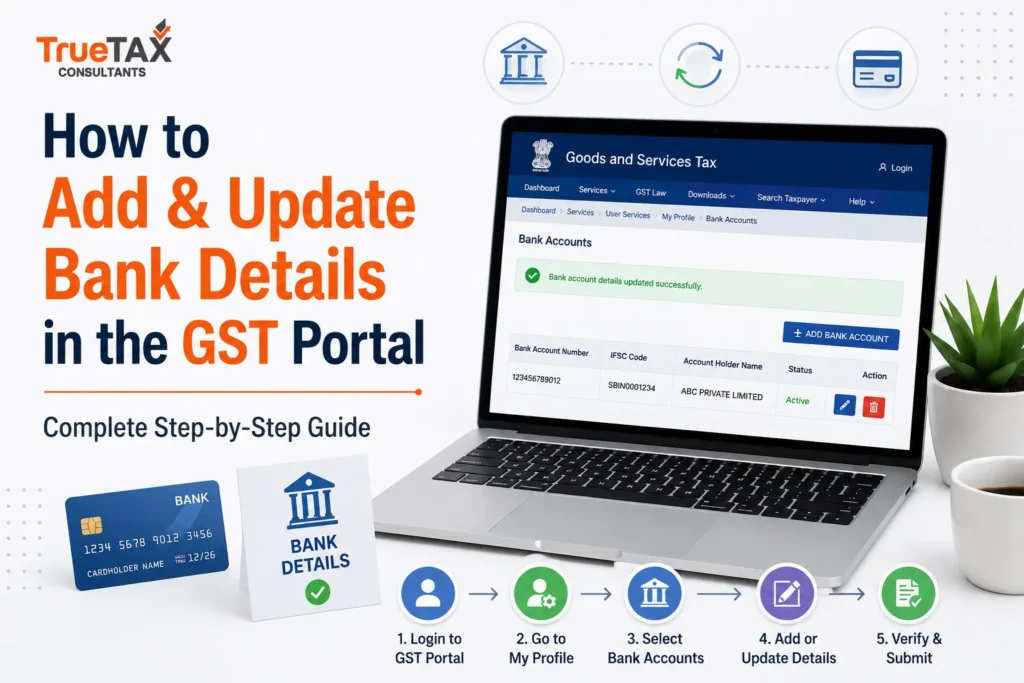
Keeping your bank account information updated on the GST portal is an important part of GST compliance for every registered business in India. Whether you have recently obtained GST registration, opened a new current account, changed your banking partner, or need to modify existing account information, updating your bank details on the GST portal ensures smooth compliance and uninterrupted business operations.
Many taxpayers focus on filing GST returns and paying taxes on time, but overlook the importance of maintaining accurate registration information. Incorrect or outdated bank account details can create several problems, including delays in GST refunds, verification issues, compliance notices, and even suspension of GST registration in certain situations.
The GST Network (GSTN) has also emphasized the importance of furnishing valid bank account information within the prescribed timeline. As per Rule 10A of the CGST Rules and the GSTN advisory issued on 20 November 2025, taxpayers are required to provide valid bank account details within 30 days of obtaining GST registration or before filing GSTR-1/IFF, whichever is earlier.
In this detailed guide, you will learn how to add bank details in the GST portal, how to update existing bank account information, required documents, latest GST rules, common mistakes to avoid, and answers to frequently asked questions.
Key Takeaways
Before learning the process, here are some important points every taxpayer should know:
- Bank account details must be furnished within 30 days of GST registration or before filing GSTR-1/IFF.
- Failure to update bank details may lead to compliance issues and possible suspension under Rule 10A.
- Taxpayers can add or update bank details through the Amendment of Registration Non-Core Fields option.
- A maximum of 10 bank accounts can be added under one GSTIN.
- Supporting documents such as a cancelled cheque, bank statement, or passbook are required for verification.
- Accurate bank account information helps ensure smooth GST refund processing and registration compliance.
Why Bank Details Are Important on the GST Portal
Bank account information is not merely an administrative requirement under GST. It plays a crucial role in verifying the authenticity of a business and ensuring seamless communication between taxpayers and GST authorities.
Whenever a business applies for GST registration, GST authorities need assurance that the business is operating through a valid and verifiable banking channel. This helps reduce fraudulent registrations and improves transparency within the GST ecosystem.
Maintaining correct bank account information also becomes important when businesses apply for GST refunds, update registration details, or undergo departmental verification.
Benefits of Maintaining Updated Bank Details
Maintaining accurate and up-to-date bank account details on the GST portal is essential for smooth compliance and efficient business operations. The key benefits include:
- Faster GST Refund Processing: GST refunds are credited directly to the bank account registered on the GST portal. Incorrect or inactive bank details can cause significant delays in receiving refunds.
- Better Compliance Management: Updated registration records help businesses remain compliant with GST regulations and reduce the likelihood of compliance-related issues.
- Accurate Business Verification: Bank account information serves as an important verification parameter during registration amendments, audits, and GST compliance checks.
- Reduced Risk of GST Notices: Incomplete, incorrect, or outdated registration details can trigger notices from GST authorities. Regularly updating bank details helps minimize such risks.
- Smooth Business Operations: Accurate banking information supports seamless refund processing, compliance monitoring, e-invoicing integration, and other GST-related transactions.
Latest GST Rule Regarding Bank Account Details
The GST department has strengthened compliance requirements concerning bank account information.
As per Rule 10A of the CGST Rules and the GSTN advisory issued on 20 November 2025, taxpayers (except specific categories such as TDS/TCS registrations and certain suo-moto registrations) must furnish valid bank account details within the prescribed timeline.
Important Requirement
Taxpayers must provide bank account details:
- Within 30 days of obtaining GST registration, or
- Before filing GSTR-1/IFF,
whichever is earlier.
Failure to comply with this requirement may lead to suspension of GST registration and restrictions on filing returns.
This makes updating bank account details a mandatory compliance activity rather than an optional administrative task.
When Do You Need to Add Bank Details in the GST Portal?
Many businesses add bank details immediately after obtaining GST registration. However, there are several other situations where adding or updating bank account information becomes necessary.
Common Scenarios
There are several situations in which a GST-registered taxpayer may need to add or update bank account details on the GST portal. Some of the most common scenarios include:
- Newly Registered GST Taxpayer: After obtaining GST registration, taxpayers are required to furnish their bank account details within the prescribed timeline to complete and maintain their registration records.
- Opening a New Current Account: Many businesses open a dedicated current account after GST registration and need to update the new bank account information on the GST portal.
- Change in Banking Partner: If a business switches from one bank to another, the new bank account details should be updated to ensure accurate records and uninterrupted GST-related transactions.
- Expansion of Business Operations: Growing businesses may maintain multiple bank accounts for operational, regional, or financial management purposes and may choose to add these accounts to their GST profile.
- GST Refund Claims: Taxpayers claiming GST refunds should ensure that their registered bank account details are accurate, active, and capable of receiving refund credits without delays.
What Are the Documents Required to Add Bank Details in the GST Portal?
Before starting the process, keep all supporting documents ready. Uploading accurate and clear documents helps speed up verification and approval.
Accepted Documents for Bank Verification
You can upload any one of the following:
Cancelled Cheque
A cancelled cheque is the most commonly used document for bank verification.
The cheque should clearly display:
- Account holder name
- Bank account number
- IFSC code
- Bank name
A cheque with the business name printed on it is generally preferred.
Bank Statement
A recent bank statement can also be used as supporting proof.
The statement should clearly show:
- Account holder name
- Account number
- Bank branch details
- IFSC code
First Page of Bank Passbook
The first page of the passbook may be uploaded if it clearly displays all required account details.
How to Add Bank Details in the GST Portal?
Adding a bank account to your GST registration is a simple process that can be completed online through the GST portal.
Follow the steps below carefully.
Step 1: Log in to the GST Portal
Visit the GST portal and log in using:
- Username
- Password
- Captcha code
After successful login, you will reach the taxpayer dashboard.
Step 2: Navigate to Registration Amendment
From the dashboard, go to:
Services → Registration → Amendment of Registration Non-Core Fields
This section allows taxpayers to update information that does not require major registration changes.
Step 3: Select the Bank Accounts Tab
After opening the amendment section, click on the Bank Accounts tab.
Here you can view existing bank accounts linked to your GST registration.
If no bank account has been added previously, the section will be blank.
Step 4: Click on “Add New”
Select the Add New option to enter details of a new bank account.
The GST portal will open a form requiring bank account information.
Step 5: Enter Required Bank Account Information
Provide the following details carefully:
- Bank Account Number
- Type of Account (Savings or Current)
- IFSC Code
- Bank Name
- Branch Name
Always double-check the information before proceeding. Incorrect entries may result in verification failure.
Step 6: Upload Supporting Documents
Upload any one of the accepted supporting documents:
- Cancelled cheque
- Recent bank statement
- First page of passbook
Ensure that:
- The document is clear and readable.
- Account number is visible.
- IFSC code is visible.
- Account holder name is clearly displayed.
Step 7: Save the Information
After entering all details and uploading the document, click the Save button.
Review the information carefully before moving to the submission stage.
Step 8: Submit the Application
Complete verification using the applicable method:
Digital Signature Certificate (DSC)
Mandatory for:
- Companies
- LLPs
Electronic Verification Code (EVC)
Available for:
- Proprietorships
- Partnership firms
- Other eligible taxpayers
Once submitted successfully, an Application Reference Number (ARN) will be generated for future tracking.
After successfully adding bank account information to your GST profile, there may be situations where you need to update, edit, replace, or remove existing bank account details. Businesses frequently change banks, open new current accounts, shift branches, update IFSC codes, or reorganize their banking structure as they grow.
In all such cases, it is important to ensure that the latest bank account information is reflected on the GST portal. Maintaining updated banking information is not just a good administrative practice—it is an important compliance requirement under GST regulations. Incorrect or outdated details can affect refund processing, bank verification, GST return filing, and overall compliance management.
Fortunately, the GST portal provides a simple mechanism for taxpayers to modify bank account details through the Amendment of Registration Non-Core Fields option.
Why You May Need to Update Bank Details in the GST Portal?
Many business owners assume that once a bank account has been added to GST registration, no further action is required. However, businesses evolve over time, and banking arrangements often change.
Whenever there is a change in the primary bank account used for business transactions, the GST registration profile should also be updated accordingly.
Common Reasons for Updating Bank Details
Businesses may need to update their bank account details on the GST portal for various operational and compliance-related reasons. Some of the most common situations include:
- Opening a New Current Account: Many businesses initially use one bank account and later open a dedicated current account for business transactions. The new account should be added to the GST portal to keep registration records updated.
- Change in Primary Banking Partner: Businesses may switch banks to benefit from better services, lower banking charges, enhanced digital banking facilities, or more convenient branch locations.
- Closure of Existing Bank Account: If the bank account linked to GST registration has been closed, it should be replaced or removed promptly to prevent issues during GST verification and refund processing.
- Change in IFSC Code: Bank mergers, branch relocations, or system upgrades can lead to changes in IFSC codes. Updating the revised IFSC code on the GST portal helps avoid transaction failures.
- Compliance with GSTN Advisory: As per the GSTN advisory issued on 20 November 2025 and the requirements under Rule 10A of the CGST Rules, taxpayers must furnish and maintain valid bank account details to avoid registration-related restrictions.
- GST Refund Processing: Incorrect, inactive, or outdated bank account information is a common cause of GST refund delays. Keeping bank details updated helps ensure timely credit of approved refunds.
How to Update Existing Bank Details in the GST Portal?
The process of updating bank account information is very similar to adding a new account. The only difference is that instead of selecting “Add New,” taxpayers need to edit the existing account details.
Step 1: Log in to the GST Portal
Visit the GST portal and log in using:
- GST username
- Password
- Captcha verification code
After successful login, you will be redirected to your GST dashboard.
Step 2: Navigate to Amendment of Registration
From the dashboard, follow the path below:
Services → Registration → Amendment of Registration Non-Core Fields
This section allows taxpayers to update various non-core registration details, including bank accounts.
Step 3: Open the Bank Accounts Section
Click on the Bank Accounts tab to view all bank accounts currently linked to your GST registration.
You will see a list of existing accounts along with relevant banking information.
Step 4: Click on Edit
Locate the bank account that requires modification and click on the Edit option.
The GST portal will open the selected account information for modification.
Step 5: Update Required Information
You may update details such as:
- Account number
- IFSC code
- Branch details
- Account type
- Other relevant banking information
Ensure that all updated information exactly matches the records maintained by your bank.
Even a minor error in the account number or IFSC code can cause verification issues and delay approval.
Step 6: Mention Date and Reason for Amendment
The GST portal may require you to specify:
- Date of change
- Reason for modification
Provide accurate information to facilitate the smooth processing of the amendment request.
Examples include:
- Opened a new business account
- Changed primary banking partner
- Updated branch information
- Corrected incorrect account details
Step 7: Upload Supporting Documents
Supporting documentation helps verify the updated bank information.
Accepted documents include:
- Cancelled cheque
- Bank statement
- Passbook copy
The document should clearly display:
- Account holder name
- Account number
- IFSC code
- Bank name
Using recent documents is recommended to avoid clarification requests.
Step 8: Save and Submit
After reviewing all details:
- Click Save
- Verify information
- Submit the amendment
Authentication can be completed using:
- DSC (for companies and LLPs)
- EVC (for eligible taxpayers)
Once submitted, an ARN (Application Reference Number) will be generated.
How Many Bank Accounts Can Be Added in the GST Portal?
A common question among taxpayers is whether multiple bank accounts can be linked to a single GST registration.
The answer is yes.
As per the GST portal provisions, a taxpayer can maintain multiple bank accounts under one GSTIN.
Maximum Number of Bank Accounts Allowed
A GST-registered taxpayer can add up to 10 bank accounts under a single GSTIN.
This flexibility is particularly useful for businesses that operate through multiple banking channels.
Why Businesses Add Multiple Bank Accounts
Many growing businesses prefer to separate different financial activities into different accounts.
Common Examples
Businesses often maintain multiple bank accounts for different financial and operational purposes. Some common examples include:
- Operations Account: Used for day-to-day business receipts, vendor payments, and routine operational expenses.
- Tax Payment Account: A dedicated account maintained for GST payments and other statutory tax obligations.
- Salary Account: Used exclusively for processing employee salaries, wages, and related payroll transactions.
- Export Account: Utilized for export-related transactions, foreign currency receipts, and international remittances.
- Refund Account: Some businesses maintain a separate account specifically for receiving GST refunds and other government credits.
Maintaining multiple bank accounts can improve financial control, streamline accounting processes, enhance transparency, and simplify overall business management.
Can You Remove or Delete a Bank Account from the GST Portal?
Yes. Businesses can remove old, inactive, or closed bank accounts from their GST registration profile.
Keeping obsolete bank accounts linked to GST registration may create confusion during compliance reviews and refund processing.
Situations When Deletion May Be Required
- Account closure
- Bank merger
- Shift to a new banking partner
- Duplicate account entry
- Business restructuring
Before deleting an account, ensure that at least one active and valid account remains linked to the GST registration.
How to Track Bank Detail Amendment Status
After submitting a bank account amendment request, taxpayers should monitor the application until approval is received.
Tracking status helps ensure that any clarification requests are addressed promptly.
Steps to Track Amendment Status
- Log in to the GST portal.
- Navigate to Services.
- Click on Track Application Status.
- Enter the ARN.
- View the latest application status.
Understanding Amendment Status Messages
Pending for Processing
The application has been received and is under review by GST authorities.
Approved
The amendment request has been successfully accepted and updated in GST records.
Clarification Required
Additional documents or explanations are needed before approval can be granted.
Taxpayers should respond promptly to avoid rejection.
Rejected
The amendment request has been rejected due to discrepancies, incorrect information, or insufficient documentation.
A fresh amendment request may need to be submitted after correcting the issue.
How Long Does It Take to Update Bank Details in the GST Portal?
One of the most frequently asked questions relates to the processing timeline.
The actual time required depends on:
- Accuracy of information submitted
- Completeness of supporting documents
- Verification requirements
- GST officer workload
Typical Processing Timeline
| Activity | Approximate Timeline |
| Submission of amendment | Same day |
| ARN generation | Immediate |
| Initial verification | 1–3 working days |
| Clarification request (if any) | Additional time |
| Final approval | Usually within 7–15 working days |
In many cases, updates become visible much sooner, although bank validation may continue in the background.
Why Keeping Bank Details Updated Is Important?
Many taxpayers only realize the importance of bank account updates when they encounter a refund issue or receive a compliance notice.
Updating bank details provides several important benefits.
Smooth GST Refund Processing
Approved refunds are credited directly to the registered bank account. Incorrect information can delay payments significantly.
Better Compliance Management
Accurate records reduce the risk of notices, verification issues, and compliance complications.
Improved Registration Accuracy
Updated information ensures consistency between GST records and banking records.
Reduced Chances of GST Registration Issues
Failure to furnish valid bank details within prescribed timelines may lead to restrictions and compliance-related actions.
Enhanced Business Credibility
Maintaining accurate registration information demonstrates responsible compliance management and improves transparency.
Adding or updating bank account details on the GST portal may appear to be a simple compliance task, but even small mistakes can lead to delays, verification issues, refund rejections, or GST registration-related complications. Many taxpayers focus only on entering the account number and IFSC code without realizing that GST authorities and banking systems validate the information provided during the amendment process.
This is why it is important not only to know how to update bank details in the GST portal but also to understand the common mistakes businesses make, the bank account verification process, and the consequences of maintaining incorrect or outdated information.
Why is GST Bank Account Verification Important?
Bank account verification plays a crucial role in maintaining the integrity of the GST ecosystem. The GST department uses banking information to confirm that a registered taxpayer is operating through a legitimate financial institution and that the bank account genuinely belongs to the registered business.
Over the years, GST authorities have implemented stricter verification measures to reduce fake registrations, fraudulent refund claims, and identity-related compliance issues. As a result, the bank account information provided during registration or amendment is subject to verification before being fully accepted.
Accurate bank account information helps create consistency between GST records, PAN records, and banking records. This improves transparency and makes it easier for authorities to process refunds, verify registrations, and conduct compliance reviews.
What Information Is Typically Verified?
During the verification process, GST authorities and banking systems may validate:
- Account holder name
- Bank account number
- IFSC code
- Bank branch information
- GST registration details
- PAN-linked information, where applicable
- Business name consistency
If any mismatch is detected, the taxpayer may receive a clarification request or experience delays in approval.
Common Mistakes While Adding or Updating Bank Details in the GST Portal
Many amendment requests are delayed or rejected because of avoidable mistakes. Understanding these common errors can help businesses complete the process correctly the first time.
Entering an Incorrect Account Number
This is one of the most common mistakes made during GST amendments.
Even a single incorrect digit in the bank account number can result in:
- Verification failure
- Refund processing issues
- Amendment rejection
- Compliance delays
Before submitting any amendment request, taxpayers should cross-check the account number multiple times.
Using an Incorrect IFSC Code
IFSC codes are used to identify the exact bank branch linked to an account.
Businesses often use outdated IFSC codes due to:
- Bank mergers
- Branch relocation
- Changes announced by banks
Always verify the latest IFSC code directly from the bank before submitting any amendment.
Uploading Blurred or Incomplete Documents
Supporting documents play a vital role in verifying bank account information.
Common document-related issues include:
- Blurred scans
- Cropped images
- Missing account details
- Unreadable account holder names
- Low-quality mobile photographs
Using high-resolution scanned copies can significantly improve approval chances.
Uploading an Old Cancelled Cheque
Some taxpayers upload old cancelled cheques that no longer reflect current banking information.
If the cheque contains outdated details or unclear printing, authorities may seek additional clarification.
Always use the latest available document when supporting a bank account amendment.
Mismatch in Account Holder Name
The name appearing on the bank account should align with the GST registration details wherever required.
Examples of common mismatches include:
- Trade name differences
- Spelling variations
- Abbreviated names
- Incorrect legal entity names
These mismatches often trigger verification delays.
Failure to Update Closed Accounts
Many businesses continue to maintain closed or inactive accounts within their GST registration profile.
This can create confusion during:
- Refund processing
- Compliance verification
- Registration review
- Audit proceedings
Inactive accounts should be removed whenever possible.
What Happens If You Do Not Add Bank Details to the GST Portal?
Many taxpayers assume that furnishing bank account details is optional. However, GST regulations make bank account information an important compliance requirement.
As per Rule 10A and subsequent GSTN advisories, taxpayers are expected to furnish valid bank account information within the prescribed timeline.
Failure to do so can create serious compliance issues.
Potential Consequences
Suspension of GST Registration
One of the most significant risks is the potential suspension of GST registration due to non-compliance with bank account furnishing requirements.
A suspended GST registration can severely affect day-to-day business operations.
Restriction on Filing GSTR-1 and IFF
Businesses may face restrictions while filing:
- GSTR-1
- Invoice Furnishing Facility (IFF)
This can impact customer compliance and invoice reporting.
GST Refund Delays
Without valid bank account information, approved refunds cannot be credited successfully.
This can affect working capital and cash flow.
Input Tax Credit Complications
Incorrect compliance status may indirectly affect various GST-related activities and business operations.
Increased Chances of GST Notices
Businesses with incomplete registration records may receive compliance notices seeking clarification or corrective action.
How Incorrect Bank Details Affect GST Refunds
One of the biggest reasons taxpayers update bank information is to avoid refund-related complications.
GST refunds are processed electronically and credited directly to the validated bank account linked to the GST registration.
If the bank account information is incorrect, the refund process may be disrupted.
Common Refund Problems Caused by Incorrect Bank Details
- Refund credit failure
- Delayed refund processing
- Additional verification requests
- Requirement to update registration information
- Reprocessing delays
For exporters and businesses regularly claiming Input Tax Credit refunds, maintaining updated bank details is especially important.
Businesses That Should Pay Special Attention to Bank Details
Although all taxpayers should maintain accurate records, certain categories of businesses are more dependent on correct bank information.
Exporters
Exporters frequently claim GST refunds and therefore require active and verified bank accounts.
E-Commerce Sellers
Online sellers often process large volumes of transactions and need accurate registration information for compliance purposes.
Manufacturers
Manufacturers regularly deal with Input Tax Credit and refund-related transactions.
Service Providers
Professional firms and service providers should ensure that their primary operating account is reflected correctly on the GST portal.
Businesses with Multiple Branches
Organizations operating through multiple locations often maintain multiple banking relationships and should review their GST records periodically.
Expert Tips for Faster Approval of Bank Detail Amendments
While GST bank account amendments are generally straightforward, following a few best practices can significantly improve approval speed.
Verify All Information Before Submission
Review:
- Account number
- IFSC code
- Account holder name
- Branch details
before clicking the submit button.
Use High-Quality Supporting Documents
Ensure that uploaded documents are:
- Clear
- Complete
- Legible
- Recently issued
Avoid screenshots whenever possible.
Use Business Accounts Wherever Applicable
For companies, LLPs, and partnership firms, the account should generally belong to the registered business entity.
Track ARN Regularly
Many taxpayers submit amendments and forget to monitor status updates.
Always track the ARN until the amendment is approved successfully.
Respond Quickly to Clarification Requests
If GST authorities seek additional information, provide the requested documents promptly to avoid delays.
GST Bank Details Compliance Checklist
Before submitting your amendment application, review the following checklist.
GST Bank Detail Update Checklist
- Correct bank account number entered
- Latest IFSC code verified
- Bank name entered correctly
- Branch information verified
- Account holder name matches records
- Supporting document uploaded
- Document is clear and readable
- Amendment reason mentioned correctly
- Information reviewed before submission
- ARN saved for future tracking
Completing this checklist can significantly reduce the chances of rejection or delay.
Final Thoughts
We have covered a detailed step-by-step guide on how to add and update bank details in the GST Portal. Adding and updating bank details in the GST portal is a small but extremely important aspect of GST compliance. Accurate banking information helps businesses receive refunds on time, comply with Rule 10A requirements, maintain a healthy GST profile, and avoid unnecessary notices or registration-related issues.
With GST authorities placing increasing emphasis on registration verification and compliance monitoring, businesses should regularly review their GST profile and ensure that all bank account information remains accurate and up to date.
Whether you are a newly registered taxpayer, a growing business opening additional accounts, or an established company changing banking partners, timely updates to bank account details can save significant time, prevent compliance risks, and ensure smooth GST operations.
Get Professional GST Registration and GST Amendment Support from TrueTax Consultants Bangalore
Managing GST compliance can be complex, especially when businesses need to handle GST registration, registration amendments, bank account updates, return filing, GST notices, refund applications, and ongoing compliance requirements. Even a minor error in GST records can lead to delays in refunds, compliance notices, registration issues, or unnecessary administrative challenges. This is why businesses often benefit from professional assistance to ensure that all GST-related activities are completed accurately and on time.
TrueTax Consultants Bangalore provides comprehensive GST services to startups, proprietorships, partnership firms, LLPs, private limited companies, manufacturers, traders, exporters, e-commerce sellers, and service providers across India. Our experienced GST professionals help businesses navigate the complexities of GST compliance while ensuring that registration details remain accurate and up to date.
Our GST Services Include
- GST Registration Services
- GST Amendment Applications
- Bank Account Updates in GST Portal
- Mobile Number and Email ID Changes
- GST Return Filing Support
- GST Notice Handling and Reply Assistance
- GST Refund Application Services
- GST Cancellation and Revocation Services
- GST Compliance Management
- GST Consultation and Advisory Services
Contact TrueTax Consultants Bangalore or call +91 98452 72393 for timely, accurate, and reliable GST solutions tailored to your business needs. Whether you need assistance with a simple GST amendment or ongoing GST compliance management, our experienced team is committed to providing professional support that helps your business stay compliant, avoid penalties, and operate smoothly under the GST framework.
FAQs on Adding and Updating Bank Details in the GST Portal
How can I add another bank account in the GST portal?
You can add another bank account in the GST portal by navigating to Services → Registration → Amendment of Registration Non-Core Fields → Bank Accounts → Add New. Enter the required bank details, upload supporting documents such as a cancelled cheque or bank statement, and submit the amendment using DSC or EVC verification.
What happens if bank account details are not added to the GST portal?
Failure to add valid bank account details to the GST portal can lead to serious compliance issues. Under Rule 10A, GST registration may be suspended, restricting taxpayers from filing GSTR-1 or IFF. It can also delay GST refunds, trigger compliance notices, and disrupt regular business operations significantly.
Can I modify existing bank account details in the GST portal?
Yes, taxpayers can modify existing bank account details through the Amendment of Registration Non-Core Fields option available on the GST portal. After updating the required information and uploading supporting documents, the amendment request can be submitted for verification and approval by the GST system.
How many bank accounts can be added under one GSTIN?
A GST-registered taxpayer can add up to 10 bank accounts under a single GSTIN. This facility is particularly useful for businesses that maintain separate accounts for operations, tax payments, refunds, exports, payroll management, or other financial activities requiring dedicated banking arrangements.
Which documents are required to update bank details in the GST portal?
To update bank account information in the GST portal, taxpayers can upload a cancelled cheque, recent bank statement, or the first page of a bank passbook. The document should clearly display the account holder’s name, account number, bank name, branch details, and IFSC code.
How long does it take for bank details to be updated in the GST portal?
The update process usually begins immediately after submission of the amendment application. While changes may appear quickly in some cases, bank account verification and approval may take several working days depending on document accuracy, verification requirements, and GST authority processing timelines.
Can I remove a closed or inactive bank account from GST registration?
Yes, businesses can remove closed, inactive, or unused bank accounts from their GST registration profile through the amendment process. Keeping only active and valid accounts helps maintain accurate records, simplifies compliance management, and prevents complications during GST refund processing or departmental verification.
Why are bank details important for GST refunds?
GST refunds are directly credited to the validated bank account linked to the taxpayer’s GST registration. Incorrect, outdated, or inactive bank details can delay refund processing or cause refund failures. Maintaining accurate banking information ensures faster refund disbursement and uninterrupted cash flow management.
Is it mandatory to furnish bank account details after GST registration?
Yes, taxpayers are required to furnish valid bank account details within 30 days of GST registration or before filing GSTR-1/IFF, whichever is earlier. This requirement is prescribed under Rule 10A of the CGST Rules, and non-compliance may lead to registration-related restrictions.
Can incorrect bank details lead to GST notices?
Yes, incorrect or incomplete bank account information may trigger GST notices, clarification requests, or verification-related communications from GST authorities. Updating bank details promptly and ensuring that all information matches banking records helps reduce compliance risks and prevents unnecessary disruptions to business operations.